You post a photo and it gets stamped: "AI info" on Instagram, "AI-generated" on TikTok. The photo is yours — you made a small touch-up, maybe erased a stranger with your phone's smart eraser. In 2026 this happens to millions of users, and done in the right order, the fix takes two minutes.
How does the label happen?
Instagram and TikTok don't judge your pixels. Both read the invisible metadata embedded in the file. Two records trigger the label:
- C2PA Content Credentials — the provenance standard backed by Adobe, Microsoft, OpenAI and Google. Photoshop's generative fill, Firefly, DALL·E and even some phone-camera AI features write an "AI was used here" record into the file.
- IPTC/XMP DigitalSourceType — a one-line field marking the file as
trainedAlgorithmicMedia.
So if you touched Samsung's or Pixel's AI eraser once, your photo may carry this invisible stamp — and platforms read it the moment you upload.
What is the label for? (Honest answer)
The standard exists for a good reason: keeping fully AI-generated fakes from circulating as real photos. The problem is that the system can't tell dosage apart: replacing the whole sky and erasing a trash can in the corner earn the same stamp. Your own photo, 98% untouched, getting branded "AI" — that's why this guide exists. Managing the metadata of your own photos is your right, the same category as phones stripping GPS data for privacy.
Step 1: Check first — what is triggering it?
Don't clean blindly. First see whether your photo actually carries these markers: drop it on the AI Image Checker. The file never leaves your device — the check runs in your browser.
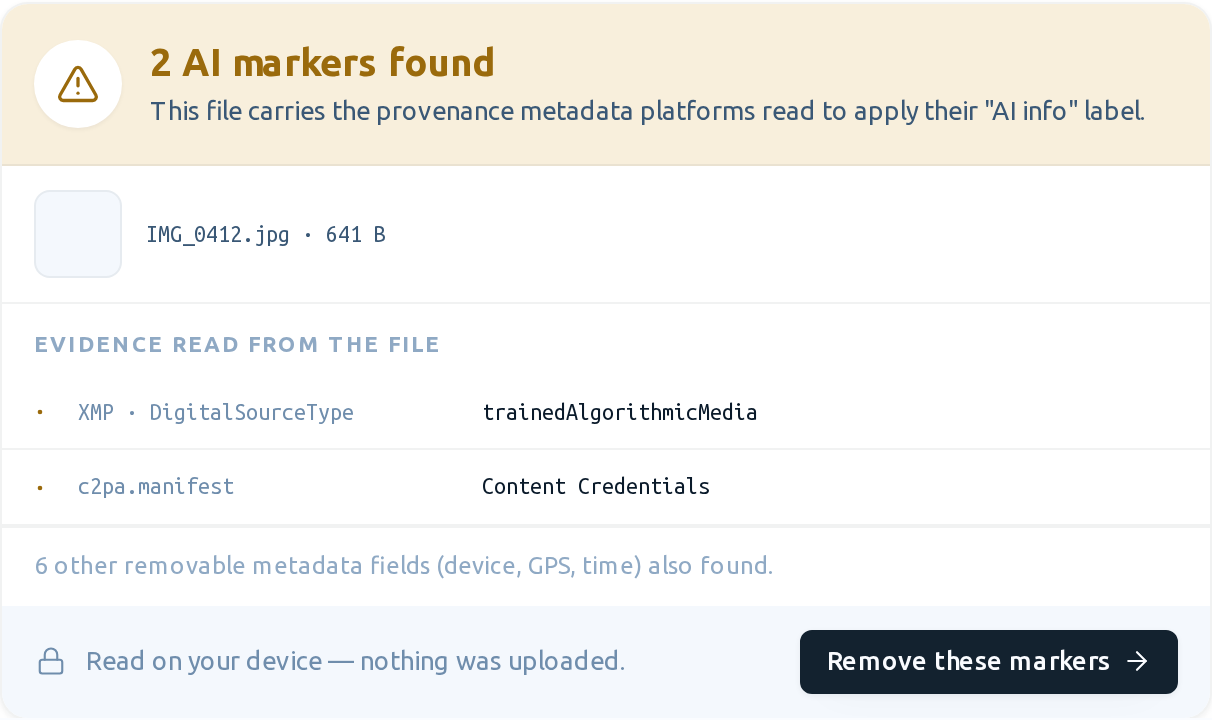
You'll see one of two results. If your photo carries markers, you get a warning like this — the evidence rows are real records read from inside the file:
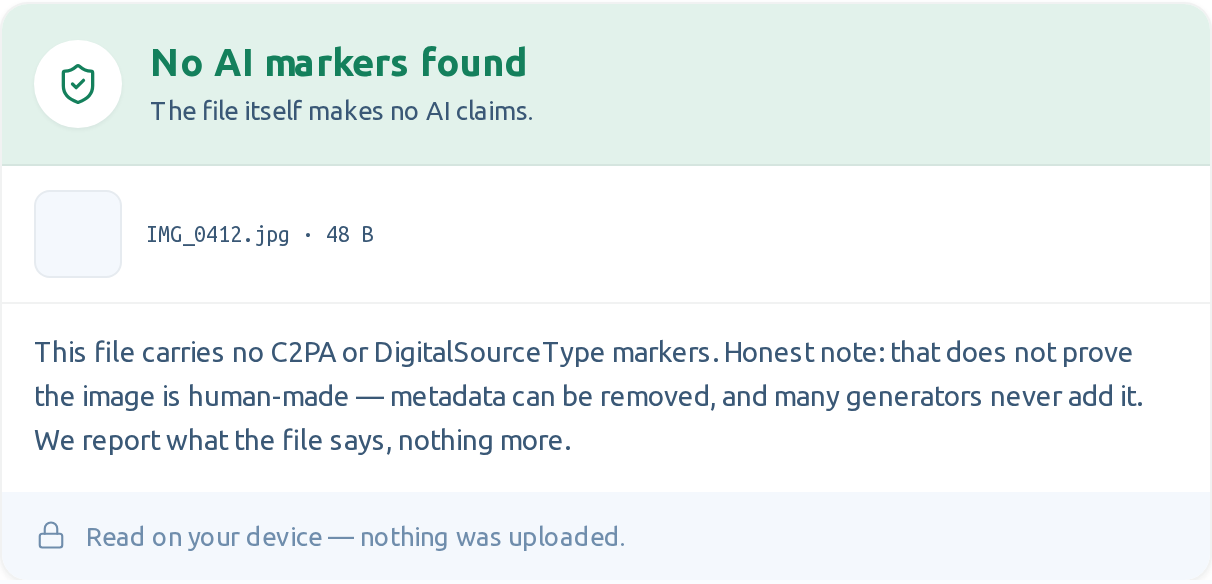
If it's clean, you'll see this instead — nothing to do; something else may have triggered your label:
Step 2: If markers exist, remove them
The "Remove these markers" button in the result takes you straight to the AI label remover. The cleanup is lossless: pixel data is copied byte-for-byte and the color profile is preserved — only the metadata blocks are removed. You see exactly what goes in a before/after table:
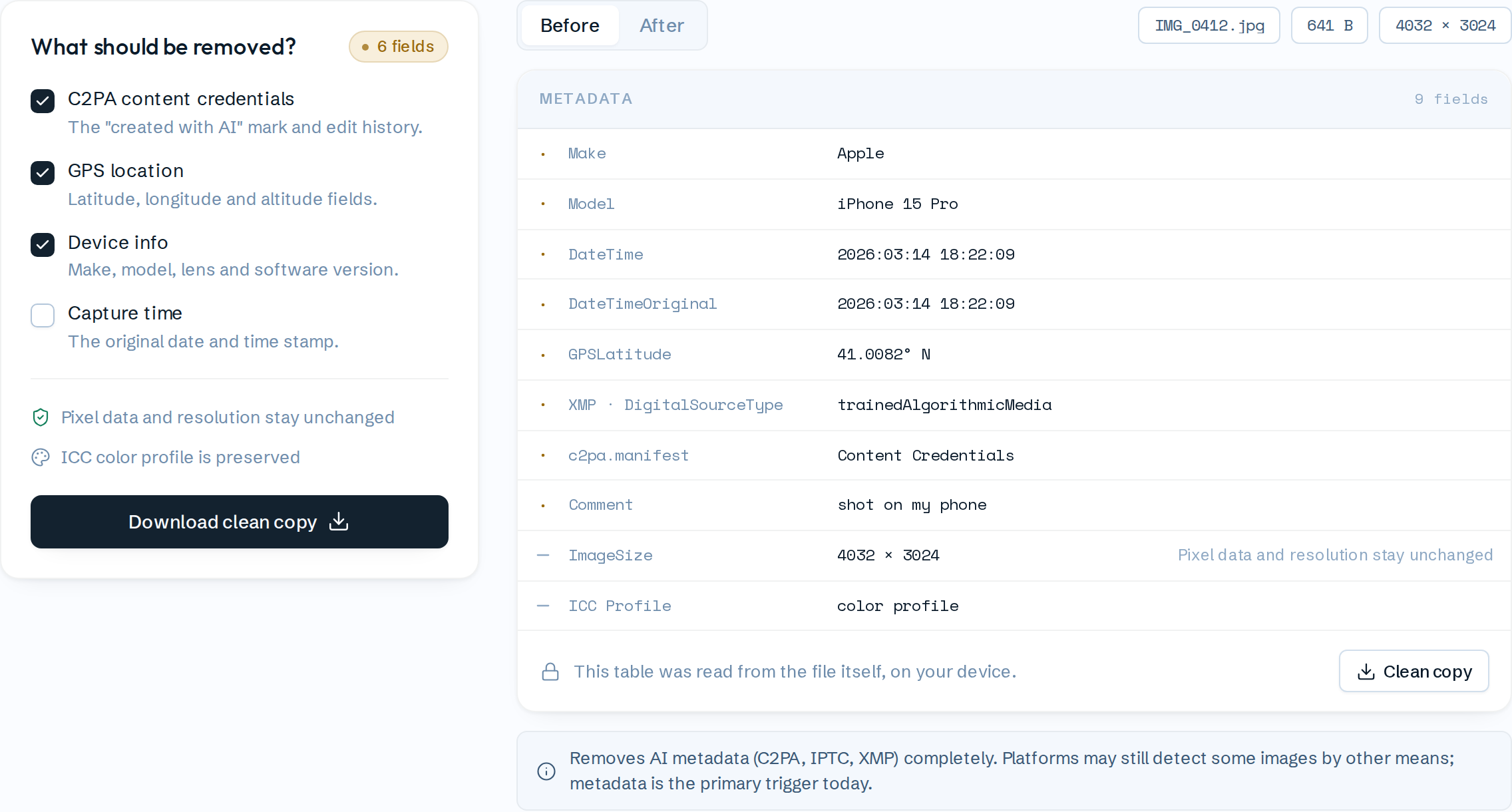
Download the clean copy and upload that one to Instagram or TikTok. Bonus: the same cleanup can strip GPS coordinates, your phone model and the capture time — your photo stops broadcasting where you live, too.
Step 3: Verify
Be skeptical — we would be. Drop the cleaned copy back on the checker: you should see the green result. Keep your browser's network tab open if you like; verify yourself that no request carries your photo.
Platform-specific notes
- Instagram: The label is applied at upload time, from metadata. Re-uploading the clean copy is enough; an existing post keeps its label until you delete and repost.
- TikTok: Reads C2PA and in some cases adds it itself — to videos using AI effects. For photos the rule is the same: clean file, label-free upload.
- Files that went through WhatsApp/Telegram: Those apps strip most metadata while compressing — a photo that came from there is usually already clean.
Frequently asked
Does quality drop? No. Cleaning only rewrites the metadata sections; resolution and sharpness stay identical.
Is it 100% guaranteed? Honest answer: today, metadata is the primary trigger and cleaning removes it completely. But platforms also experiment with other detection for fully AI-generated images, like invisible watermarks. For your own retouched photos, cleaning does the job — be skeptical of tools promising certainty.
Do these tools upload my photo? No. Both the checker and the cleaner run entirely in your browser; your file never leaves your device — it never even trains our models.
Check first → · Clean if flagged → — both free, no sign-up.