You removed a trash can with Galaxy's object eraser or Pixel's Magic Eraser. You posted the photo; Instagram put "AI info" on top. The photo is yours, the scene is real — so where did the label come from?
Phones now leave notes in your files
Manufacturers are moving toward marking AI-assisted edits in the image's metadata: Samsung announced watermark and metadata marking for Galaxy AI edits, and Google uses IPTC metadata fields on photos edited with Pixel's AI features. The industry's common standard is C2PA "Content Credentials" — and Instagram and TikTok read exactly these records at upload time.
The important nuance: what exactly gets written varies by model, feature and software version. So don't guess — look at your own file.
Check it in 30 seconds
Drop the photo on the AI Image Checker — the file never leaves your device; the metadata is read in your browser. If a photo you used the eraser on shows evidence rows like these, that's your label's cause:
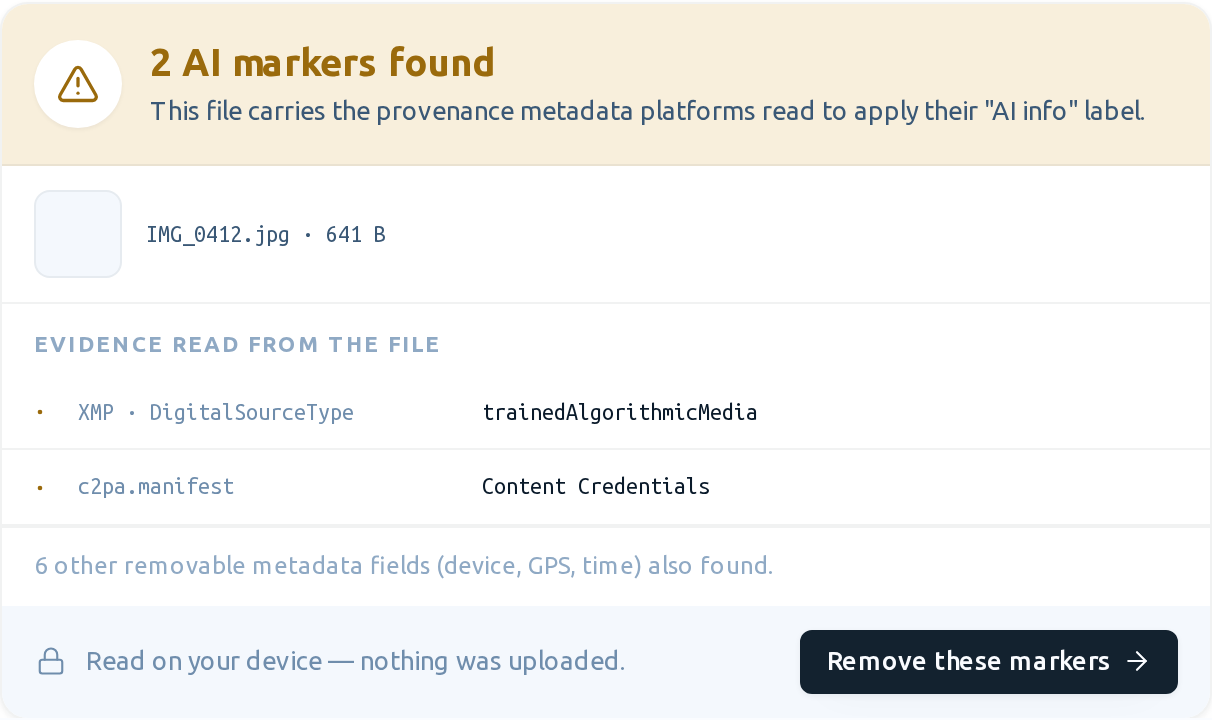
If it comes back clean, your phone didn't mark that edit — something else may be triggering the label (for example, the image passing through Photoshop's generative features earlier in its life).
If markers exist: lossless cleanup
The button in the checker result takes you to the AI label remover: C2PA/XMP/IPTC blocks are removed while pixel data is copied byte-for-byte — resolution and sharpness stay identical. Download the clean copy, post that one; if you're skeptical, run the clean copy through the checker again and see the green result.
Honest note
Managing the metadata of your own lightly-retouched photos is your right. But know two things: (1) platforms also try to catch fully AI-generated images through means beyond metadata — cleaning is not a "removes every label, guaranteed" promise; (2) publishing genuinely AI-generated content unlabeled violates platform rules, and that is not what this guide is for.